Free Printable Puzzle Maker
Create crosswords, word searches, quizzes, bingo cards, matching games, and memory games in seconds. Print instantly with no signup.
- 537619598686348317266284195879
Popular Themed Puzzles
- Flags Memory GameMatch country flags in a printable memory card game
- Animal Memory GamePlay a ready-made animal matching game, then print the cards
- Alphabet Memory GameMatch letter pairs in a free alphabet memory game for kids
- Number Memory GameMatch numbers 1-8, then customize the cards for math centers
- Shapes & Colors Memory GameMatch circles, squares, and colors in a preschool memory game
- Fruit Memory GameMatch fruit pairs, then customize a printable classroom set
- Emoji Memory GameMatch emoji faces, then swap in your own cards and print
- Flag Memory Game MakerGenerate a country flags memory game by region and difficulty
- Printable Crossword MakerMake a printable crossword from your own words and clues
- Word Search MakerCreate a custom word search from your own word list, then print it with an answer key
- Spelling Word Search MakerTurn this week's spelling list into a printable word search
- Christmas Word SearchPrint an easy, medium, or hard Christmas word search, or make your own
- Bingo Card GeneratorGenerate custom bingo cards for classrooms, parties, and events
- Printable Quiz MakerWrite multiple-choice questions, then print the quiz and an answer key
- Matching Game MakerMake a printable matching worksheet from your own paired items
- Memory Game MakerMake a printable memory matching game from your own card pairs
- Printable SudokuPrint free easy, medium, and hard sudoku puzzles
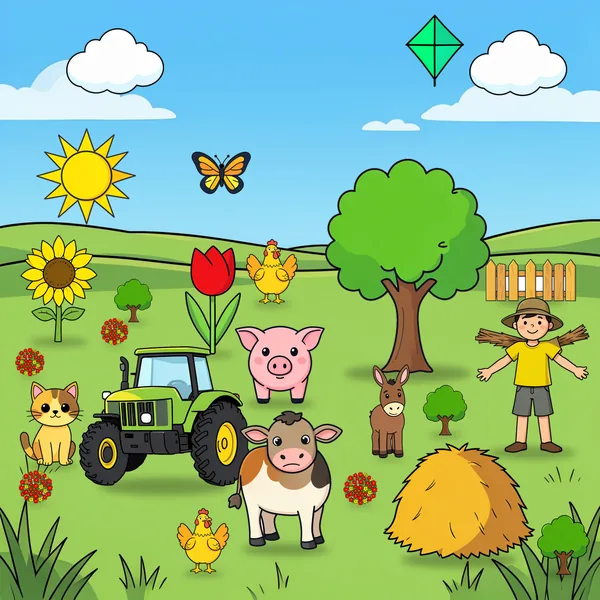
- Spot the DifferenceFind 7 differences online or print both pictures with answers
Who Uses MakePuzzle
Classroom Teachers
Turn this week's vocabulary, spelling list, or unit facts into a crossword, word search, quiz, or bingo game, and print a class set with an answer key.
Homeschooling Parents
Make short review activities from whatever your child is learning, play them on screen together, and print the ones worth keeping in a folder.
Tutors and Language Teachers
Build matching worksheets of words and translations, or quizzes on the topics a learner finds hardest, for one-to-one and small-group sessions.
Party Hosts and Activity Leaders
Make baby shower bingo, holiday word searches, or a trivia quiz for a club night, using your own names, themes, and in-jokes.
Puzzle fans use it too. You can make a crossword or word search from any list you care about, without an account, and print it straight away.
Which puzzle type should I choose?
Start from what the students already know. A word search only asks them to spot words printed in the list, so it suits a new spelling list or younger readers. A crossword makes them recall each word from a clue and spell it, a harder test of the same list. A quiz checks understanding rather than spelling. Matching fits any content that comes in pairs, like a word and its translation. Bingo keeps a whole class listening for the next call, and memory cards suit a small group taking turns at a table.
What makes a puzzle work on paper?
Short, related lists. The crossword generator needs shared letters, so 8 to 15 words on one topic give a tighter grid than 20 unrelated ones. Bingo items can be up to 60 characters, but a word or two is much easier to find in a small square. Print one copy before you print thirty: a clue that wraps onto a second line or a grid that runs off the page shows up on paper, not always in the preview.
Written and reviewed by Leonardo Moura · Reviewed
Print Any Puzzle
1. Create
Pick a maker and enter your words, clues, questions, or items.
2. Play or Preview
Solve it once on screen. A misspelled answer or a word the grid left out is easier to catch here than on 30 printed copies.
3. Print
Open the print version and use your browser's print dialog, or choose Save as PDF. The sheet prints without the site header, footer, or ads.
Frequently Asked Questions
Is MakePuzzle free to use?
Yes. Every puzzle maker is free, with no sign-up, no watermark, and no limit on how many puzzles you make or print.
Do I need an account to make a puzzle?
No. You can make, save, play, and print puzzles without an account. Signing in with Google is optional.
Can I use MakePuzzle puzzles in my classroom or tutoring sessions?
Yes. Teachers, tutors, and homeschooling parents can print puzzles for their students, including for paid classes and tutoring. See the terms of use for details.
Which puzzles come with an answer key?
Crosswords, word searches, quizzes, and matching worksheets print with an answer key on a separate page, so you can hand out the puzzle and keep the key. Bingo cards and memory cards don't need one.
How do I save a puzzle as a PDF?
Open the print page for your puzzle and choose Save as PDF as the destination in your browser's print dialog. The PDF uses the same layout as the printed copy.
Can students play the puzzles on a screen instead of paper?
Yes. Every saved puzzle has its own page with a link you can share, and students can solve crosswords, word searches, quizzes, and memory games right in the browser.